
Download Wavyr Prototyper – AI‑Driven Frontend Design Tool, Rapid Prototyping, React & Tailwind Integration
Overview
Wavyr Prototyper — это AI‑управляемая платформа для фронтенд‑дизайна, которая преобразует запросы на естественном языке или референс‑изображения в готовый к продакшену UI‑код. Как только вы вводите описание вроде «Создать тёмную панель управления с левым навигационным меню» или загружаете эскиз, встроенный ИИ анализирует намерение, извлекает структуру макета и генерирует чистый HTML, CSS и JavaScript, которые можно сразу экспортировать как функциональные компоненты React с классами Tailwind. Это устраняет утомительный процесс передачи между дизайнерами и разработчиками, позволяя командам переходить от концепции к кликабельному прототипу за секунды, а не за дни.
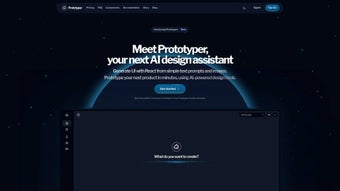
Платформа работает в облаке, поэтому нет тяжёлого установщика. После регистрации на бесплатный 14‑дневный пробный период пользователи попадают в современную панель управления, где новые проекты можно создать в несколько кликов. Мастер настройки просит назвать проект, выбрать базовый фреймворк (React, Vue или обычный HTML) и указать предпочтительный стиль (Tailwind, CSS Modules, SCSS). После создания проекта поле «Prompt» становится вашим творческим центром: вы можете вводить текст, говорить или перетаскивать изображение. Через мгновение ИИ набрасывает полный UI на холст, а живой код‑панель показывает сгенерированный JSX и разметку Tailwind бок о бок. Визуальные правки мгновенно отражаются в коде и наоборот, обеспечивая истинный цикл обратной связи дизайн‑к‑коду.
Wavyr Prototyper разработан для кросс‑платформенной доступности. Он работает в любом современном браузере — Chrome, Edge, Firefox, Safari — на Windows 10/11, macOS 12+ и основных дистрибутивах Linux. Обёртка progressive web‑app позволяет продвинутым пользователям установить ярлык, похожий на настольное приложение, в Windows, macOS или Linux с кэшированием офлайн для недавно открытых проектов. Мобильные браузеры на Android 8+ и iOS 13+ могут просматривать опубликованные прототипы, хотя полноценное редактирование остаётся десктоп‑ориентированным. Все данные, включая загруженные ресурсы и сгенерированный код, зашифрованы в состоянии покоя (AES‑256) и при передаче (TLS 1.3), соответствуют GDPR, CCPA и ISO‑27001. Автоматические ночные обновления доставляют улучшения AI‑модели, новые библиотеки компонентов и патчи безопасности без вмешательства пользователя, гарантируя, что инструмент остаётся актуальным с меняющимися UI‑трендами и стандартами доступности.
Key Features & Integration Capabilities
- Natural Language UI Design: Type or speak a description and watch the AI instantly produce a functional layout.
- Image‑Based Prototyping: Upload sketches or screenshots; the engine extracts component hierarchy, colors, and spacing.
- React & Tailwind Ready: Generated code is clean React JSX with Tailwind CSS utility classes, ready for any modern stack.
- Real‑Time Collaboration: Multiple teammates can edit, comment, and approve designs simultaneously, with version history tracked automatically.
- One‑Click Publish & Share: Publish prototypes to a secure URL for stakeholder review or embed them directly into documentation.
- Design System Sync: Connect to existing design tokens, color palettes, and component libraries to maintain brand consistency.
- Interactive Code Preview: Live rendering of generated code with on‑the‑fly CSS or JSX tweaks.
- Export Options: Download a zip containing React scaffolding, a static HTML bundle, or push directly to GitHub.
- Version Control & Workflow Management: Built‑in task boards let you assign prototypes to sprint cycles, track progress, and roll back changes.
- Secure Cloud Storage: All assets are encrypted at rest and in transit, with GDPR‑compliant handling.
Beyond the checklist, Wavyr Prototyper’s extensibility shines through its plugin architecture. Developers can inject custom JavaScript snippets, connect third‑party APIs (such as Figma, Storybook, or Jira), and automate CI/CD triggers directly from the export wizard. The AI model is continuously trained on the latest UI patterns, ensuring that generated components follow responsive best practices, WCAG 2.1 accessibility guidelines, and modern design trends. Whether you are sketching low‑fidelity wireframes or polishing high‑fidelity production mockups, the platform adapts to your workflow, reducing the need for separate design, hand‑off, and code‑generation tools.
Pros & Cons
Pros
- Accelerates design‑to‑code workflow, cutting prototype turnaround from days to minutes.
- Natural language and image‑based input lower the barrier for non‑technical stakeholders.
- Built‑in React and Tailwind support matches modern front‑end stacks.
- Real‑time collaboration eliminates the need for separate hand‑off tools.
- Secure cloud storage with GDPR compliance protects intellectual property.
- One‑click publishing and export streamline stakeholder reviews and developer onboarding.
- Continuous AI model updates keep designs aligned with current UI trends.
- Cross‑platform browser support ensures accessibility on Windows, macOS, Linux, and major browsers.
- Progressive Web App wrapper offers a desktop‑like experience with offline caching.
- Extensible plugin system lets teams integrate existing workflows and CI/CD pipelines.
Cons
- Full‑feature set requires a paid subscription after the initial trial period.
- Advanced customization beyond generated code may need manual tweaking by developers.
- Mobile editing capabilities are limited compared to the desktop experience.
- Learning curve for teams unfamiliar with AI‑driven design prompts.
- Dependency on internet connectivity for cloud‑based processing.
- Exported code may still require project‑specific linting or styling adjustments.
Conclusion & Call to Action
Wavyr Prototyper emerges as a compelling AI‑driven ally for anyone involved in frontend creation. By unifying natural‑language design, instant React/Tailwind code generation, and real‑time collaboration, it tackles the most common bottlenecks in modern product development. The platform’s secure cloud architecture, cross‑platform accessibility, and seamless integration with existing CI/CD pipelines make it a solid choice for startups seeking rapid iteration as well as established enterprises aiming to reduce hand‑off friction.
While a subscription is required for long‑term use, the time saved on prototyping, the reduction in miscommunication between design and engineering, and the ability to publish interactive demos directly to stakeholders justify the investment. If you’re ready to accelerate your UI pipeline, empower non‑technical teammates to contribute ideas, and eliminate the need for multiple disjointed tools, Wavyr Prototyper is the solution you’ve been waiting for.
Download Wavyr Prototyper now, start your free trial, and experience the future of frontend design today.



.png)



